





Upgrading to iPhone 18: Will Your Old Power Bank Still Work?
Updated September 2026: Apple has confirmed a fall event for September 9, 2026 (US time), but has not published the full iPhone 18 lineup or its charging specifications. Everything below about wired power, wireless power and accessory compatibility is based on current iPhone specs, the Qi2 standard and market reporting, not on an Apple announcement. Actual supported power, compatible models and real-world charging behavior will follow Apple's event, its official tech specs and hands-on testing. We will keep this article updated.
If you are planning to upgrade to an iPhone 18, the first question is usually not the price of the phone. It is this: do your current charger, cable and magnetic power bank still work, or do you have to replace everything?
The short answer: most of your existing accessories will not suddenly stop working. As long as Apple stays with USB-C and the Qi / Qi2 wireless standards, your USB-C chargers, cables and magnetic power banks should keep charging. The real difference is usually not whether they charge, but whether they can reach the top speed the new phone supports.
A 15W magnetic power bank, for example, will still charge an iPhone 18, but it will stay at 15W. If the iPhone 18 does carry Qi2 25W forward, faster magnetic wireless charging needs a compatible 25W spec on both the phone and the power bank.
This guide walks through your charger, cable, magnetic power bank and case one at a time, and points out when an upgrade is worth it and when your current gear is fine.

Have iPhone 18 charging specs been confirmed?
As of early September 2026, Apple has not published the wired or wireless charging power for the iPhone 18 lineup. What is confirmed is that Apple's fall event takes place on September 9, US time.
For reference, the official iPhone 17 tech specs already support:
- Charging over a USB-C connector
- MagSafe wireless charging up to 25W
- Qi2 wireless charging up to 25W
- A magnet array for magnetic alignment
The general expectation is that the iPhone 18 Pro models will at least carry USB-C and Qi2 25W forward. Whether every iPhone 18 model supports the same power, and whether wired or wireless speeds go higher, has to wait for Apple's own announcement.
Until the official specs are out, the safest way to think about it is this: your old accessories will generally still charge, but nobody can promise they will hit the iPhone 18's maximum power.
The short version: which accessories can carry over
| Existing accessory | Likely to carry over? | What to watch for | |
| USB-C charger | Usually yes | Output power and PD support decide the speed | |
| USB-C to USB-C cable | Usually yes | The cable has to be rated for the power; replace worn or damaged ones | |
| USB-A to USB-C cable | Possibly | Generally slower, and fast charging is not guaranteed | |
| Qi wireless charger | Possibly | It will charge, but speeds may fall below 15W | |
| 15W magnetic power bank | Usually yes | Capped at 15W, or whatever the phone actually accepts | |
| Qi2 25W magnetic power bank | Best compatibility expected | Real power still depends on Apple's official specs and testing | |
| Older MagSafe case | Not recommended | Size, camera cutout and button positions may differ | |
| Generic magnetic plate or metal ring | Check carefully | Can affect alignment, charging efficiency and temperature |
"Carries over" means it has a good chance of charging normally. It does not mean every feature, the full magnetic hold and the full power will come through. Here is how to check each type.
Can your current power bank still charge an iPhone 18?
In principle, if the power bank is in good condition and supports USB-C wired output or compatible Qi wireless charging, it should keep working after you switch to an iPhone 18.
Four things are worth checking:
1. Is the connector compatible?
If Apple stays with USB-C, your existing USB-C power bank and cables should work directly. If the power bank only has USB-A output, a USB-A to USB-C cable can still charge the phone, but usually more slowly, and it may not trigger USB-C PD fast charging.
2. Is the output power enough?
A power bank rated 20W, 30W or higher is stating the maximum it can deliver when the conditions and the protocol allow. The phone and the power bank negotiate a suitable power level automatically. A higher-wattage power bank does not force more power into the phone than it is designed to accept.
So a high-wattage power bank is not "too strong to use"; it simply delivers what the phone will take. A low-wattage one is not unusable either; it just charges more slowly.
3. Does it support a compatible fast-charging protocol?
Wired charging is not only about wattage. Check that USB-C PD or another compatible protocol is supported. For wireless, tell the difference between plain Qi, Qi2 15W and Qi2 25W.
Some products say "magnetic" or "up to 25W output" when they only have magnets built in, or when the 25W applies to specific devices over a proprietary protocol. That is not the same as delivering Qi2 25W to an iPhone.
4. Has the power bank itself aged?
If an older power bank has visible swelling, an odd smell, unusual heat, charging that cuts out, a warped shell or capacity that has dropped quickly, "it still charges" is not a good enough reason to keep it. A new phone is a good moment to check the safety of your older accessories.
Is a 15W magnetic power bank still usable?
Very likely, yes.
If the iPhone 18 keeps the MagSafe or Qi2 magnetic structure, a 15W magnetic power bank that works with current iPhones should still attach and charge. Even if the new phone supports 25W, it will simply charge at whatever the power bank can deliver. A 15W accessory does not harm the phone.
The way to think about it:
- 15W accessory with a 25W phone: it charges, capped by the accessory.
- 25W accessory with a 15W phone: it charges, capped by the phone.
- Both support 25W: temperature, battery level, the case and the actual protocol still decide whether the higher power kicks in.
If you mostly top up at your desk, before bed, or in an emergency, a 15W magnetic power bank is still enough. There is no need to retire it just because you changed phones.
Do you need to upgrade to Qi2 25W for an iPhone 18?
Base the decision on how you charge, not on the spec sheet number alone.
Stick with 15W if you
- Mostly charge for long stretches at the office or overnight.
- Use a power bank only occasionally, as a backup.
- Rarely run low on battery while out.
- Do not mind waiting a bit longer.
- Already own a power bank in good condition with enough capacity.
Consider Qi2 25W if you
- Top up in short windows: a commute, a lunch break, ten minutes before heading out.
- Shoot photos and video, navigate or game on your phone regularly.
- Use your phone heavily at concerts, events or while traveling.
- Want fewer cables without giving up magnetic top-up speed.
- Are buying a new power bank now and want it to last several years.
On paper 25W is about 67% higher than 15W, but real charging is not a fixed 67% faster. The phone adjusts power dynamically based on remaining charge, temperature and battery protection. The closer it gets to full, the slower it goes.
| Comparison | 15W magnetic wireless | Qi2 25W magnetic wireless |
| Rated maximum | 15W | 25W |
| Best for | Long, unattended charging and occasional backup | Short top-ups and heavy use |
| Keeping older gear | No need to retire it for a new phone | Worth it if you are buying new anyway |
| Heat | Relatively low | More noticeable during high-power phases |
| Requirement | Phone and accessory compatible | Compatible Qi2 25W on both ends |
Can you keep your USB-C charger and cables?
If the iPhone 18 keeps the USB-C connector, your existing USB-C chargers and USB-C to USB-C cables should mostly work. Still check the charger's power, its protocol support and the condition of the cable.
A higher-wattage charger does not damage the phone
The phone draws the power it needs. A phone that accepts up to 30W will not be forced to take 65W from a 65W USB-C PD charger. That assumes the charger, the cable and the phone all meet compatible standards and are in good condition.
USB-A to USB-C usually charges, just slower
An older USB-A charger with a USB-A to USB-C cable can still charge the phone, but it rarely delivers USB-C PD fast charging. For overnight charging that is fine. For quick top-ups, move to a USB-C PD charger and a USB-C to USB-C cable.
The cable can be the bottleneck
No matter how much power the charger or power bank can supply, a cable that is not rated for it, or that has worn contacts or internal damage, can leave you with slow charging or repeated dropouts. Replace the cable if you see any of this:
- A loose connector, or one that only charges at a certain angle.
- Cracked, deformed or scorched jacket.
- A connector that gets unusually hot.
- The same charger works normally with other cables, and only this one is slow.
Will an old case fit an iPhone 18?
It is best not to assume it will.
Even when two models have similar screen sizes, the body thickness, camera module, button positions, Camera Control and magnet layout can all differ. A case that does not fit properly protects less, and it can also stop a magnetic power bank from seating flat.
When you buy a new case, check:
- That it is listed for the exact iPhone 18 model you have.
- That it supports MagSafe or Qi2 magnetic charging.
- That the built-in magnet ring lines up with the phone's coil.
- That the case is not excessively thick.
- Whether it contains a metal plate, a kickstand or a card pocket.
Cases that are too thick, contain metal plates, or place the magnet ring inaccurately can weaken the hold, slow charging, cause repeated dropouts or raise temperatures. If something looks off, take the case off and test again to see whether the accessory is the cause.
Why does charging work but feel slower than expected?
Even when both the phone and the power bank say 25W, real charging is shaped by several factors:
How much charge the phone has left
High-power charging is easiest at low battery levels. Near 80% or approaching full, the phone typically slows down on purpose to reduce stress on the battery.
Phone and power bank temperature
Wireless charging always loses some energy as heat. If you are gaming, navigating or recording at the same time, or charging in direct sun or a hot environment, the phone may cut power or pause charging as it warms up.
Using the phone while it charges
When the phone is running power-hungry tasks, part of the incoming power goes straight to running the system, so less of it reaches the battery. That is why the phone can show it is charging while the percentage barely moves.
Magnetic coils not aligned
A case, a stick-on magnetic plate or an off-center placement all reduce wireless charging efficiency. The point of Qi2 magnetic alignment is not only to hold the phone, but to keep the two coils in the right position.
The power bank is running low
Some power banks reduce output when their own charge is low, when they are running warm, or when a protection circuit engages. When you test speeds, make sure the power bank itself has plenty of charge.
25W wireless or 30W wired: which should you use?
Wired and wireless suit different moments. You do not have to pick just one.
| Situation | Recommended method |
| Fast top-up before heading out | USB-C wired fast charging |
| Commuting or moving around without a cable | Magnetic wireless charging |
| Watching, on a video call, or checking messages | Magnetic charging with a stand |
| Phone running warm | Pause heavy tasks, and switch to wired if needed |
| Long charging overnight or at a desk | Your existing 15W gear is usually enough |
Wired charging moves energy more directly, so it generally wins on speed and efficiency. Magnetic wireless wins on convenience. A power bank that offers both fast wired output and magnetic wireless lets you switch based on the moment.
How to choose a power bank for an iPhone 18
If your current power bank is in good shape, you do not have to replace it. If you are buying new, work through this order:
1. Check the charging standard, not just the wattage
For wired, look for USB-C PD. For wireless, look for Qi, Qi2 15W or Qi2 25W. Magnets alone do not mean high-speed Qi2 wireless charging.
2. Match power to how you top up
- Long, unattended charging and occasional backup: 15W wireless is usually enough.
- Frequent short top-ups: Qi2 25W is worth it.
- Speed and efficiency above all: check the USB-C wired output.
3. Match capacity to how long you are out
- 5,000 mAh: lighter and slimmer, good for commuting and quick top-ups.
- 10,000 mAh: good for travel, shooting, navigation, gaming and long days out.
More capacity usually means more weight, so choose based on what you actually use in a day and what you are willing to carry.
4. Check the safety markings and protection circuits
Beyond speed, look at the cell technology, thermal management, and protection against overcharge, overcurrent, overvoltage and short circuits, along with the safety testing and markings the product should carry.

Can you keep using TITANSHIELD?
If your TITANSHIELD 5,000 mAh or 10,000 mAh is in good condition, there is no need to retire it over a power figure when you move to an iPhone 18. The standard version delivers up to 15W magnetic wireless charging and 20W USB-C wired fast charging, which suits everyday top-ups, the office, overnight charging and occasional backup.
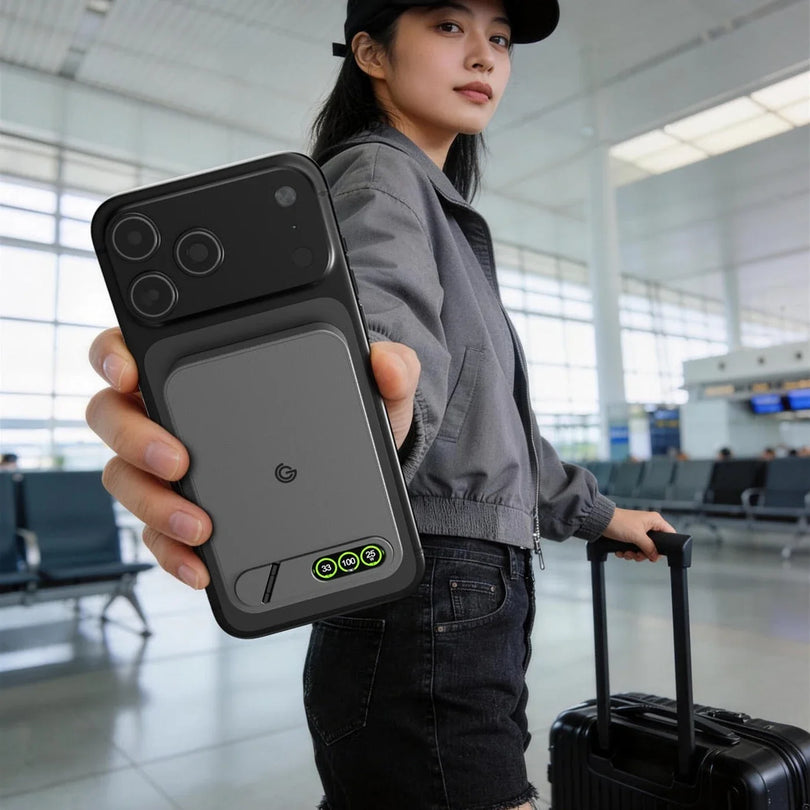
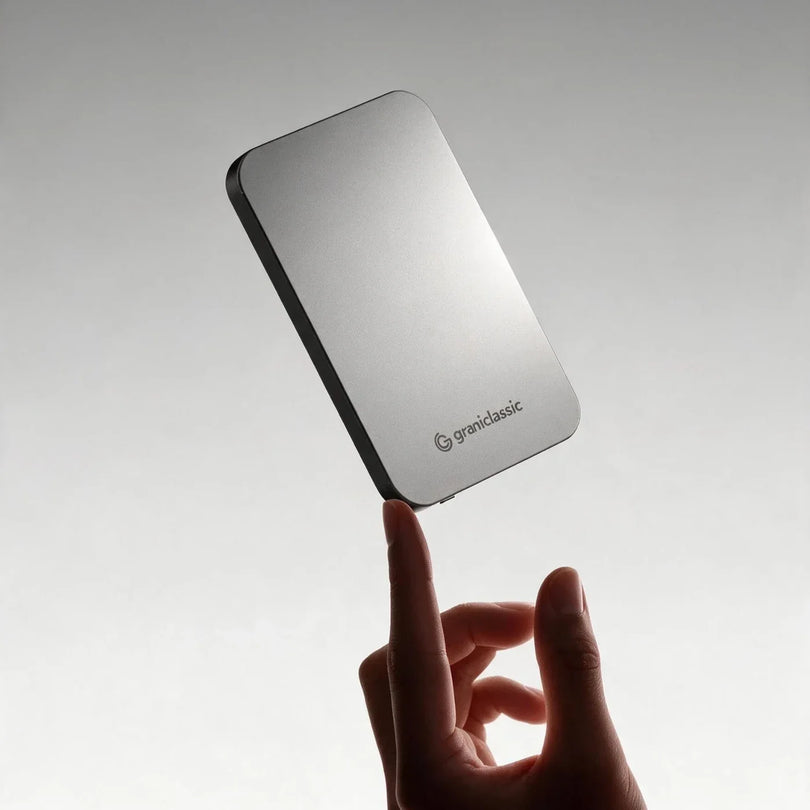
If you want to make the most of the Qi2 25W wireless charging the new generation of iPhones may carry forward, or you shoot, navigate and use your phone heavily, look at the TITANSHIELD Pro 10,000 mAh Solid-State Power Bank.
TITANSHIELD Pro includes:
- Qi2.2 25W magnetic wireless fast charging, matched to where high-speed magnetic charging is heading.
- USB-C wired output up to 30W, for when you are in a hurry.
- 10,000 mAh capacity, for travel, shooting, navigation and heavy use.
- A TFT display showing remaining charge and charging status at a glance.
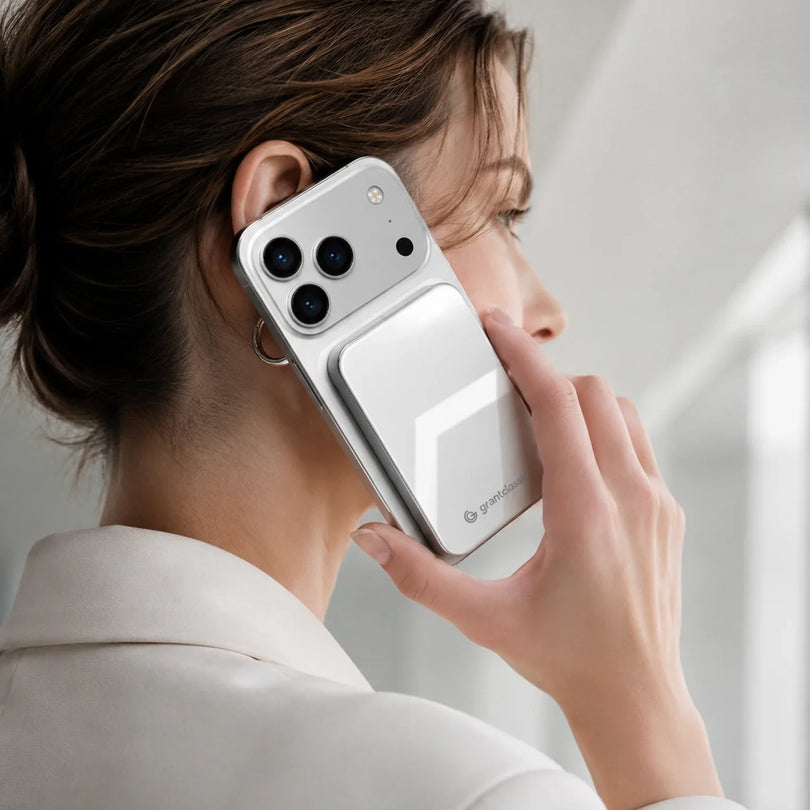
- A built-in folding stand, so you can watch, take calls or check messages while charging.
- Solid-state lithium cell technology, for a more stable cell structure and lower risk of thermal runaway.
| What you need | Suggested choice |
| You already own a TITANSHIELD standard in good condition | Keep using it; no rush to replace |
| Occasional backup, overnight or office charging | The 15W standard version is enough |
| Frequent top-ups in short windows | 25W TITANSHIELD Pro |
| Regular photo, video, navigation or gaming use | 10,000 mAh TITANSHIELD Pro |
| Wireless convenience plus wired speed | The Pro, with 25W wireless and 30W wired |
A note on compatibility: at the time of writing, Apple has not published official iPhone 18 charging specifications. TITANSHIELD Pro supports Qi2.2 25W, but the wireless power, magnetic alignment and real-world results on an iPhone 18 can only be confirmed once Apple publishes its specs and hands-on testing is done. Actual charging power varies with the phone model, battery level, temperature, case and how the phone is being used.
iPhone 18 charging and accessory FAQ
Do I have to buy a new power bank for an iPhone 18?
Not necessarily. If your current power bank is in good condition and its connector and charging standards are compatible, it should keep working. The main difference is whether it can reach the new phone's top charging speed.
Will a 15W magnetic power bank harm an iPhone 18?
Lower power does not harm the phone. Compatible devices negotiate a suitable charging level. The difference between 15W and 25W is how fast the battery fills.
Will a 25W power bank always give an iPhone 18 25W?
Not always. Both the phone and the power bank need a compatible 25W spec, and battery level, temperature, the case, coil alignment and how the phone is being used all play a part.
Can I charge an iPhone 18 with a 65W charger?
If the charger supports a compatible USB-C PD spec, the phone will draw what it needs. A 65W rating does not force 65W into the phone. Still, use chargers and cables from a known source that meet safety standards.
Can I reuse an older MagSafe case?
Do not assume so before the official dimensions are out. Even with similar screen sizes, the camera, buttons, thickness and magnet layout can differ. Buy a case listed for the exact iPhone 18 model.
Why does magnetic charging keep cutting in and out?
Common causes are a case that is too thick, metal inside the case, a misplaced magnet ring, a coil that is off-center, a phone or power bank running hot, and a power bank that is low on charge. Take the case off, stop heavy tasks, and test again.
The bottom line: most old accessories still work, the difference is top speed
Moving to an iPhone 18 does not mean replacing every charging accessory. Your existing USB-C charger, cable and 15W magnetic power bank should keep working as long as they are in good condition and meet compatible standards.
What is worth thinking about is how you actually charge:
- Overnight, at the office, or occasional backup: your existing 15W gear is usually enough.
- Short top-ups, photo and video, navigation or heavy use: consider Qi2 25W.
- Speed and efficiency above all: USB-C wired fast charging is still the most direct.
- Both convenience and speed: pick a power bank with 25W magnetic wireless and 30W wired output.
Rather than replacing everything the moment the iPhone 18 arrives, check the connector, the protocol, the output power and the condition of what you own. Wait for Apple's official specs and hands-on testing, then decide whether to upgrade. You will avoid buying the wrong thing, and your current accessories keep earning their place.
 TITANSHIELD Pro 10000 mAh Solid-State Power BankSolid-state cell, 25W wireless fast chargin...
View product
TITANSHIELD Pro 10000 mAh Solid-State Power BankSolid-state cell, 25W wireless fast chargin...
View product


